Stock Value and Consumption: The Numbers to Track

Ask a tradesperson how much the stock in their vans is worth and the answer is almost always "no idea". Yet several thousand euros often sit in each vehicle. Knowing how much, and how fast that stock turns over, helps you buy better and prepare the year-end accounts without stress.
Why know the value of your stock
Stock is tied-up cash. Every part sitting on a shelf has been paid for, and earns nothing until it is invoiced to a customer. Knowing the value of this stock serves three purposes:
- Managing cash flow: growing stock is money not coming into the till.
- Preparing the year-end accounts: at the end of the financial year, your accountant asks for the stock value at the closing date.
- Knowing what you are carrying: useful for the vehicle's insurance in case of theft.
1. Enter the purchase price of each item
It all starts here: the value of the stock is the quantity of each item multiplied by its purchase price. Enter it in the item record, preferably at the time of import or creation. If your list comes from a supplier's Excel file, the price is often already there: it imports with the rest.
The record can also hold a margin coefficient and a selling price: handy for pricing a quote without reopening the supplier's catalogue.

2. Track the value in real time
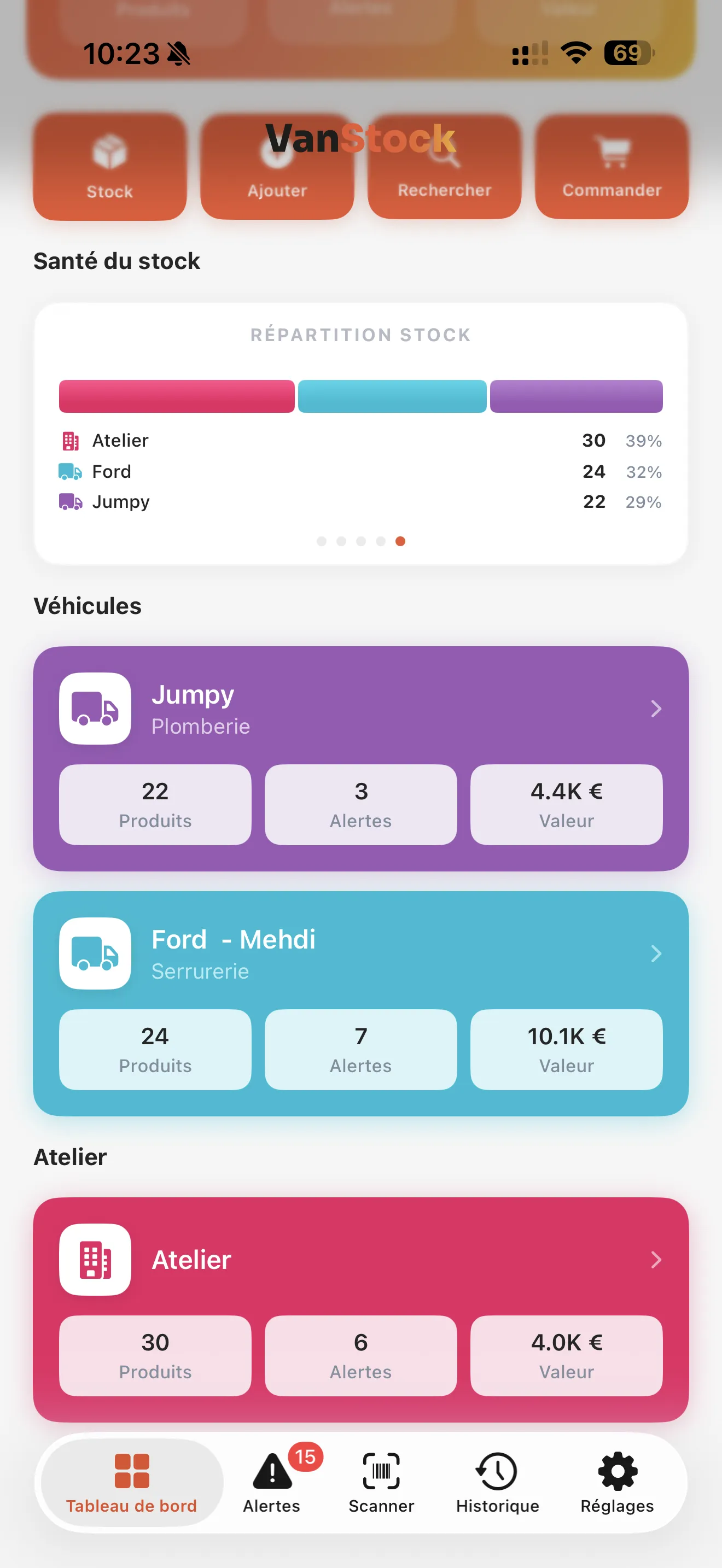
Once prices are entered, the value calculates itself. The summary shows the total value of the stock, and each vehicle or workshop has its own. You see at a glance where the money is: often the workshop holds most of it, and one vehicle carries far more than the others.
3. Measure consumption
Value tells you how much you have. Consumption tells you what you really use. A monthly consumption report, by vehicle, workshop, category or item, answers very concrete questions:
- which parts go the fastest, and deserve a higher alert threshold;
- which vehicle uses the most, and why;
- which part families weigh the most in your purchases.
If you enter the job number with each exit, you also find what went out on each job: a way to check that everything was invoiced.
4. Spot the dead stock
By crossing value and consumption, you quickly spot items that do not move: held in quantity, not taken out for months. These are the first ones not to reorder, to bring back to the workshop, or even to return to the supplier. In a van, freeing up space is a gain too.
5. Prepare the year-end accounts
At the close of the financial year, you need a reliable stock value on a specific date. The method:
- Run a stocktake of each vehicle and the workshop just before the close (see the 15-minute stocktake).
- Check that purchase prices are up to date, especially on the most expensive items.
- Produce the stock valuation report at the closing date, as PDF or Excel, and send it to your accountant.
Stock valuation can be calculated at a past date: if the stocktake is done a few days after the close, you still get the value on the right day. Reports and Excel export are part of the Pro and Enterprise subscriptions.

In short
- A purchase price in every item record.
- Stock value tracked by vehicle and by workshop.
- A consumption report every month to adjust thresholds and purchases.
- A stocktake and a stock valuation at the close for the accountant.
And to keep these numbers accurate day to day: How to manage your van stock as a tradesperson: a simple method.
Frequently asked questions
How do you calculate the value of a vehicle's stock?
Multiply the quantity of each item by its purchase price, then add it all up. A stock app does it automatically once purchase prices are entered.
What stock value should you give your accountant?
The value at purchase price of the stock present on the closing date, established after a stocktake. A stock valuation report at that date, as PDF or Excel, is generally enough.
How do you spot parts that are not being used?
Compare stock and consumption over several months: items held in quantity but never taken out are dead stock, not to be reordered.
Read next
Article published on the VanStock blog: https://vanstock.app/en/blog/stock-value-consumption-reports/