VanStock 2.0 is out: Excel import, guided stocktake and 8 more new features
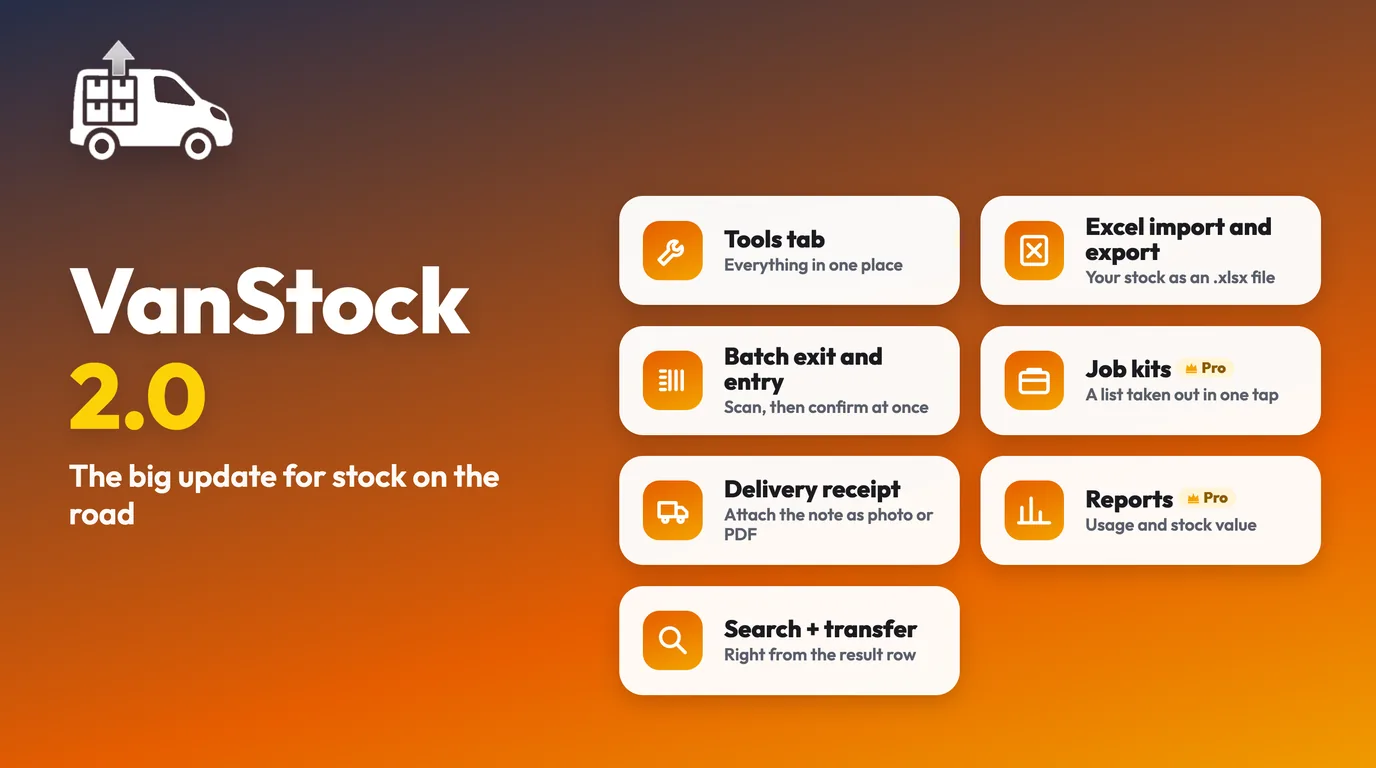
VanStock 2.0 has been available on the App Store since 18 November 2026. This free update brings ten new features to save you time on site, in the workshop and when ordering, a tidier app, and a more generous free plan.
A more generous free plan
The Free plan goes from 10 to 30 items, for 1 vehicle and 1 workshop, and it now includes importing your stock from Excel or CSV. Enough to set up a real van in the app and use it every day before deciding whether you need more.
Import your stock from Excel, directly at last
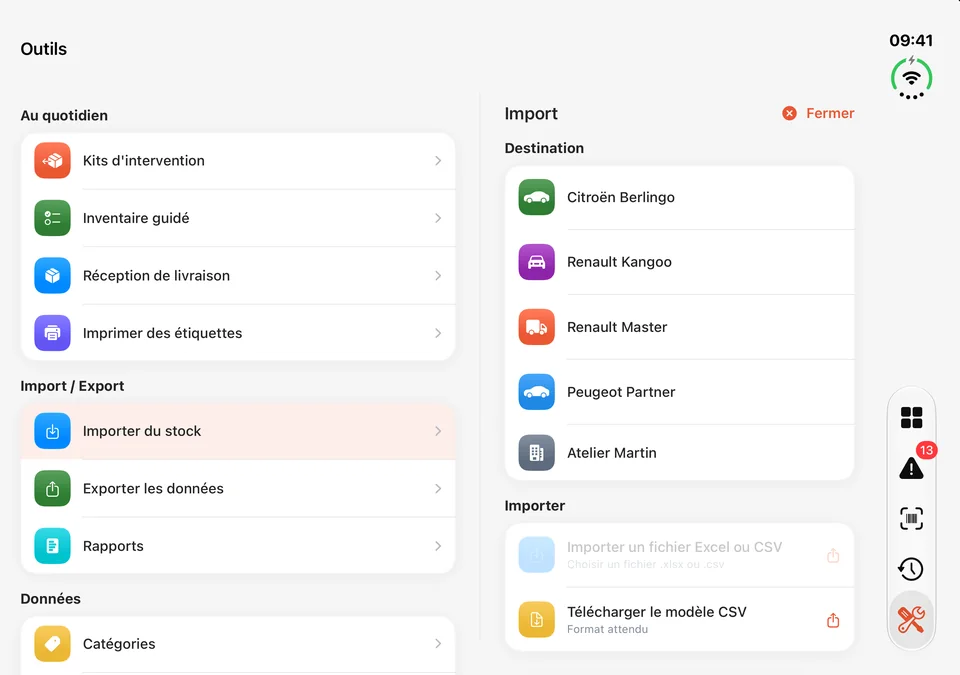
No more saving your file as CSV first: VanStock now reads Excel (.xlsx) files directly, and still reads CSV. You choose the destination vehicle or workshop, tell the app which column is which (name, reference, price, quantity, category), and a preview shows you the result before you confirm. A ready-to-fill template is provided in the app.
In the other direction, the Pro and Enterprise plans export stock, history, reports and purchase orders to Excel.
On site: less typing
- Job or site number: you set the current job, and every stock exit picks it up automatically. You can then find it with a filter and a search in History, and in a column of the export.
- Batch exit and entry: in the scanner, you choose batch exit or entry, scan several items in a row and confirm them all at once.
- Job kits: a ready-made list of items, for example "Lockout door opening", that you take out of a vehicle in one go (Pro and Enterprise).
- Global search: from the Summary, you find an item, see where it is (which vehicle, or the workshop), and adjust its quantity or move it.
In the workshop: stocktake and deliveries
- Guided stocktake: you count a vehicle or the workshop item by item. Only the differences are recorded, and a count in progress is kept if you get interrupted. The method is detailed in Van stocktake: how to do it in 15 minutes.
- Delivery receipt: supplier, delivery note number, and stock goes up in one go. With Pro and Enterprise, the delivery note (photo, PDF or scan) is attached and stays available from History.
- Labels: when printing, you choose the manufacturer's original barcode or a VanStock code; the manufacturer's code is still recognised when scanned. PDF printing is part of the Pro and Enterprise plans.
Ordering and tracking consumption
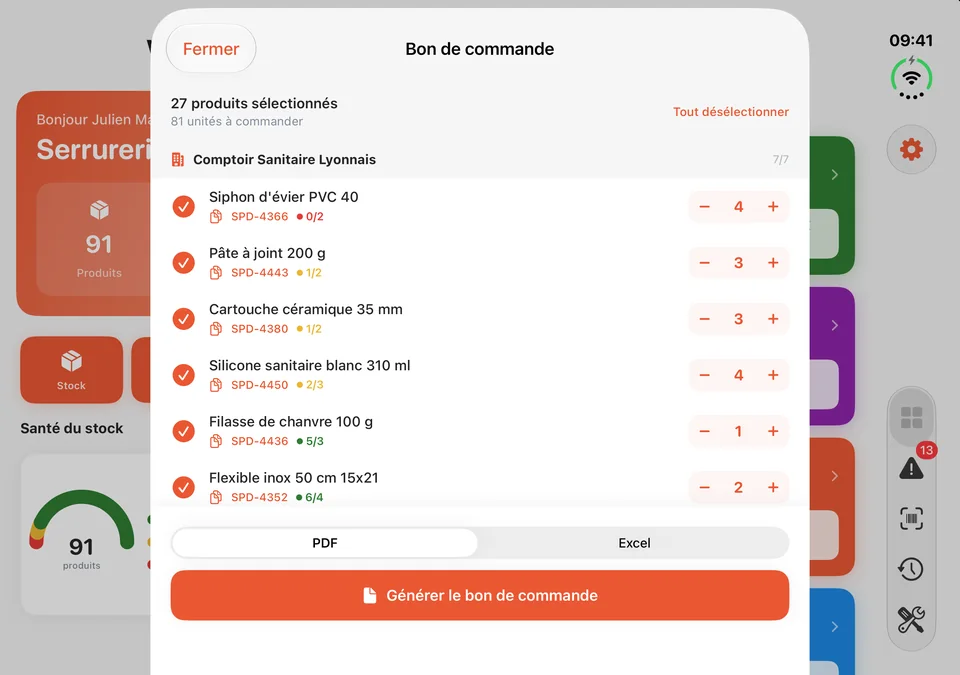
- Order: a shopping list sorted by supplier. The reference copies with one tap, the supplier's website opens directly, and the Pro and Enterprise plans generate the purchase order as PDF or Excel.
- Reports (Pro and Enterprise): monthly consumption by vehicle, workshop, category or item, and stock value at a past date, as PDF or Excel.
To set your alert thresholds and your order list properly, see Low stock, stockouts, restocking: never leave without the part again.
A tidier app
The bottom bar now has five tabs: Summary, Alerts, Scanner, History and Tools. The Tools tab brings together delivery receipt, guided stocktake, kits, labels, import, export, reports, categories and suppliers. Settings (company, profile, technicians, vehicles, workshops, subscription, language) open from the gear icon at the top of the Summary.
How to get version 2.0
- Open the App Store on your iPhone or iPad.
- Tap your profile picture at the top right, then scroll down to the updates.
- Tap "Update" next to VanStock.
Your vehicles, workshop, stock and history stay in place: they are tied to your account, not to the app version. If you are new to VanStock, 2.0 is the version you install straight from the App Store.
In short
- Free: 1 vehicle, 1 workshop, 30 items, Excel/CSV import included.
- Direct Excel import, job number, batch exit and entry, guided stocktake, delivery receipt, global search.
- Pro and Enterprise: job kits, reports, Excel and PDF exports, attached delivery notes, label printing.
- A clearer tab bar, with a Tools tab.
A question, an idea for what's next? Write to us at [email protected] or on the VanStock Facebook page.
Frequently asked questions
Is the VanStock 2.0 update free?
Yes. Version 2.0 is a free update on the App Store for all users, whatever their subscription.
What does the VanStock 2.0 free plan include?
1 vehicle, 1 workshop and 30 items, with stock import from an Excel or CSV file. Exports, kits, reports and label printing are reserved for the Pro and Enterprise plans.
Will I keep my data when I update to 2.0?
Yes. Your vehicles, workshop, stock and history are tied to your account, so they stay in place after the update.
Which devices does VanStock 2.0 run on?
On iPhone and iPad, running iOS or iPadOS 17 or later.
Read next
Article published on the VanStock blog: https://vanstock.app/en/blog/vanstock-2-0-whats-new/