Never lose a part in your van again
Locksmith, plumber, electrician — whatever your trade. VanStock replaces your spreadsheets and phone calls. Manage your fleet, your technicians and your mobile stock, all from your iPhone.
New in VanStock 2.0
Ten new features to save time on site, in the workshop and when ordering.
A tidier app
The Tools tab brings together Delivery receipt, Guided stocktake, Job kits, Labels, Import, Export, Reports, Categories and Suppliers. Settings (company, profile, technicians, vehicles, workshops, subscription, language) open from the gear icon at the top of the Summary.
Discover VanStock
Everything you need to manage your mobile stock
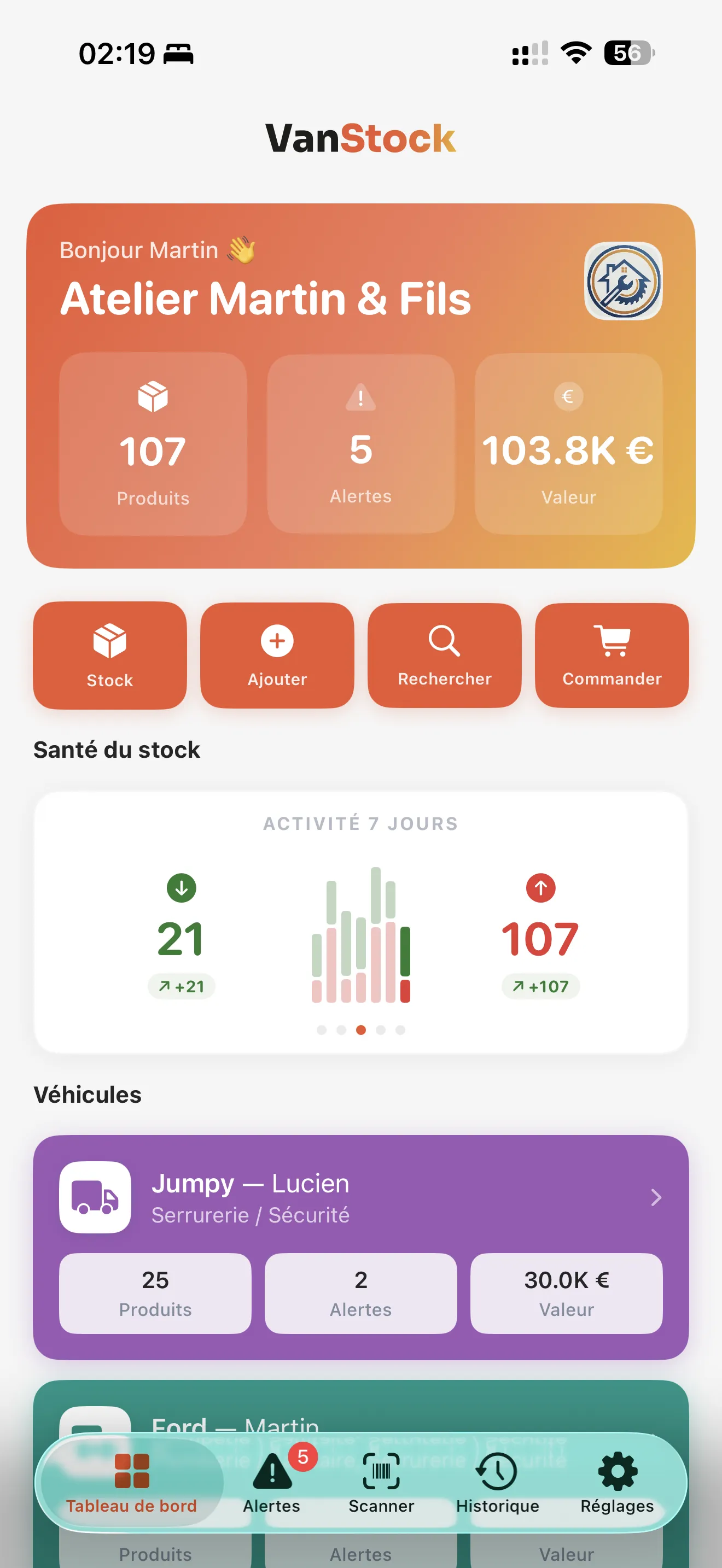
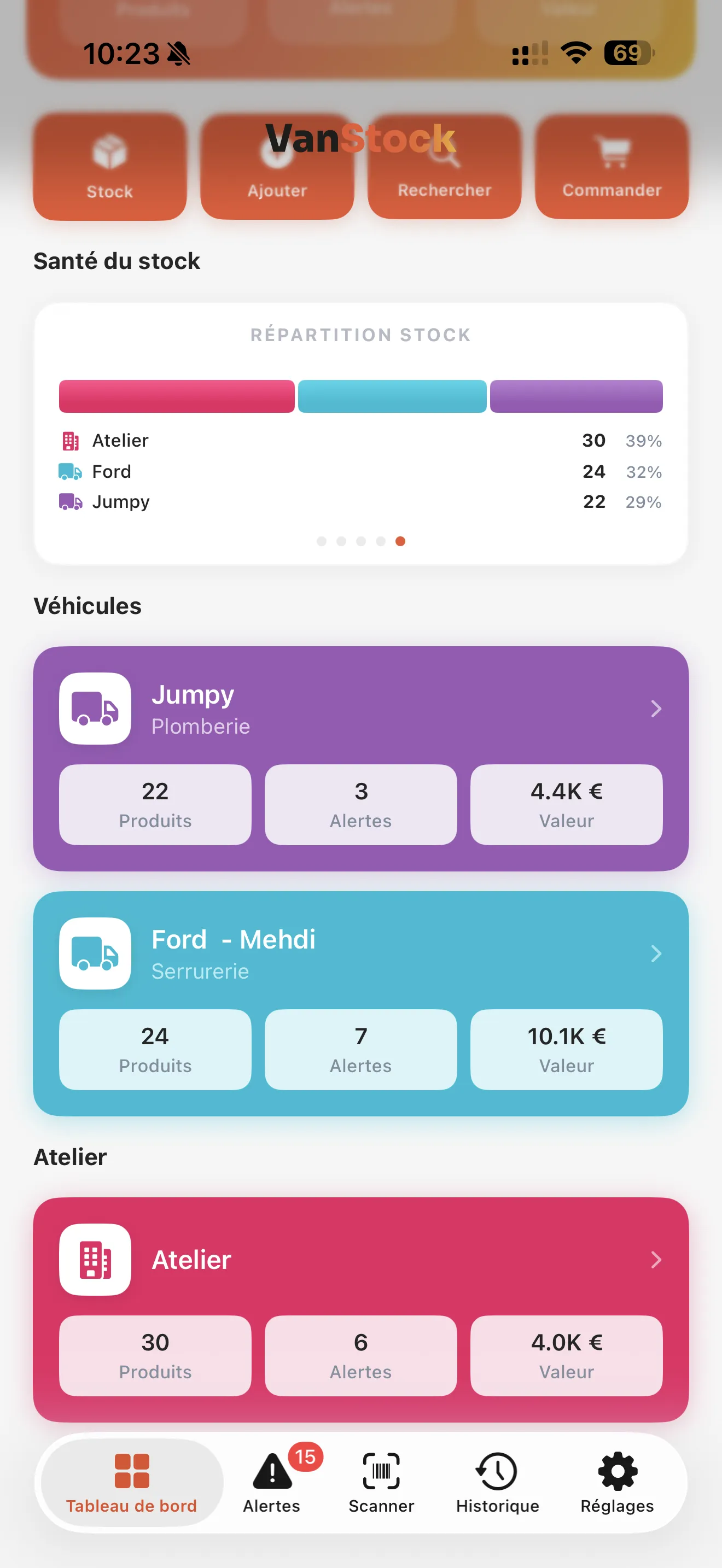
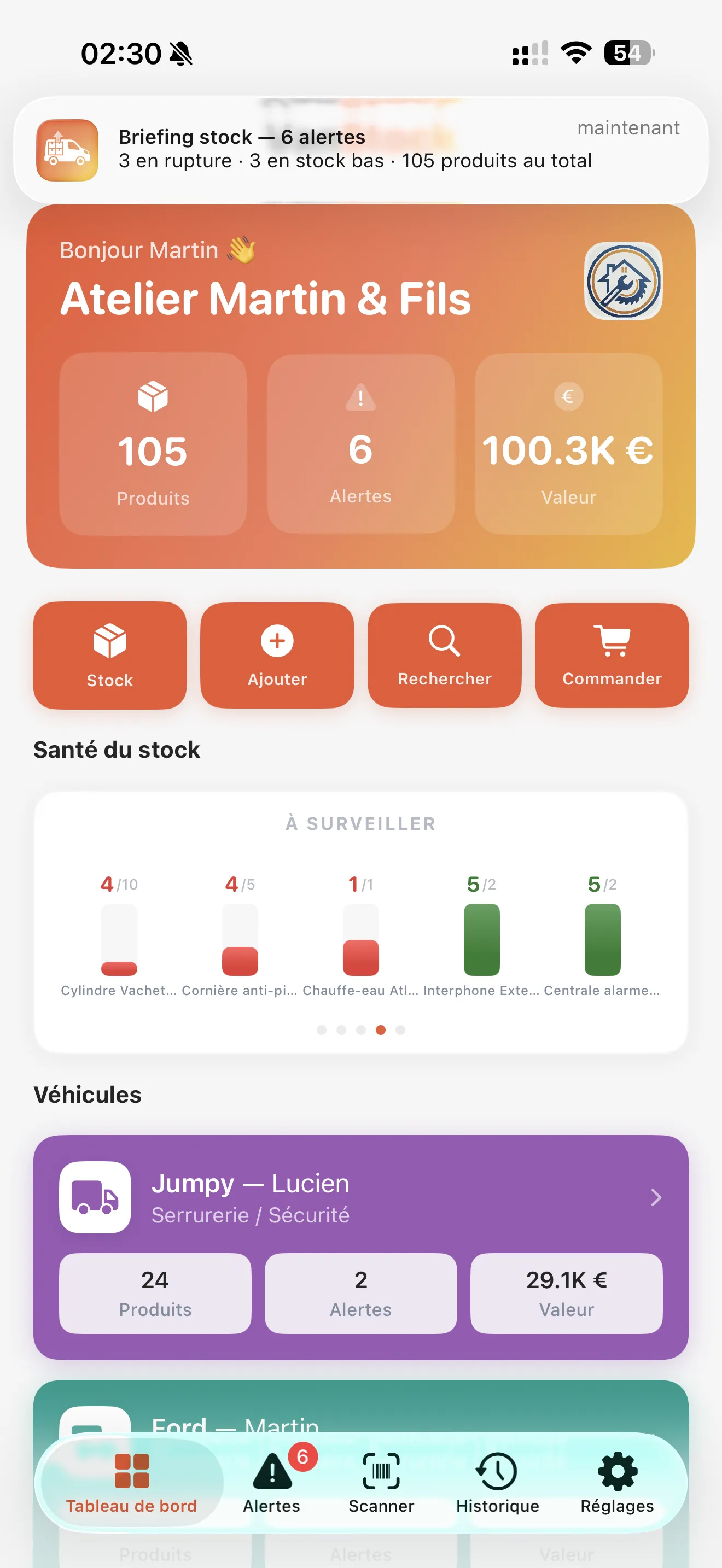
Your fleet, at a glance
Open the app and instantly see every vehicle's status, product count, active alerts and total stock value. Each vehicle and workshop has its own colour-coded tile.
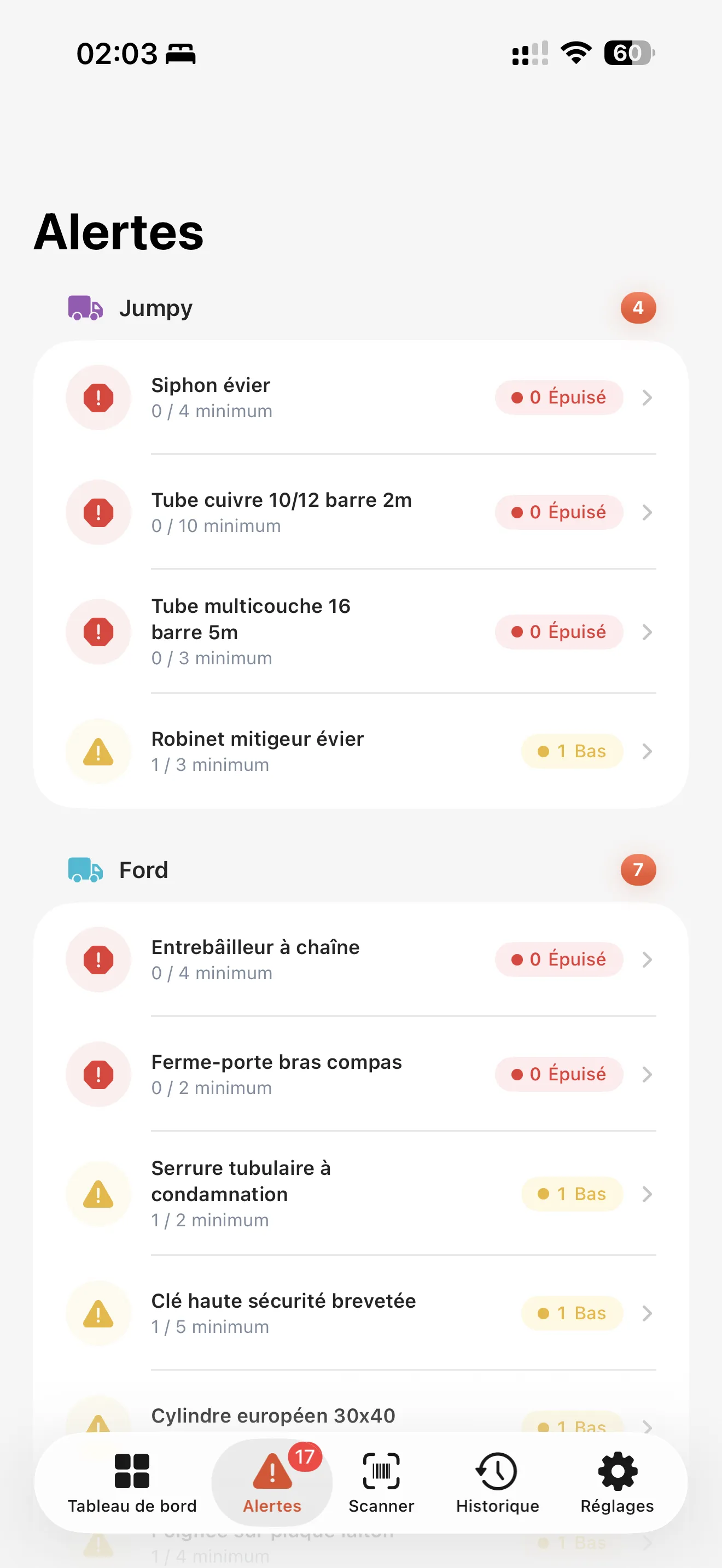
Prepared, never surprised
Alerts trigger automatically when a product drops to low stock or runs out. The badge updates in real time — nothing to configure.
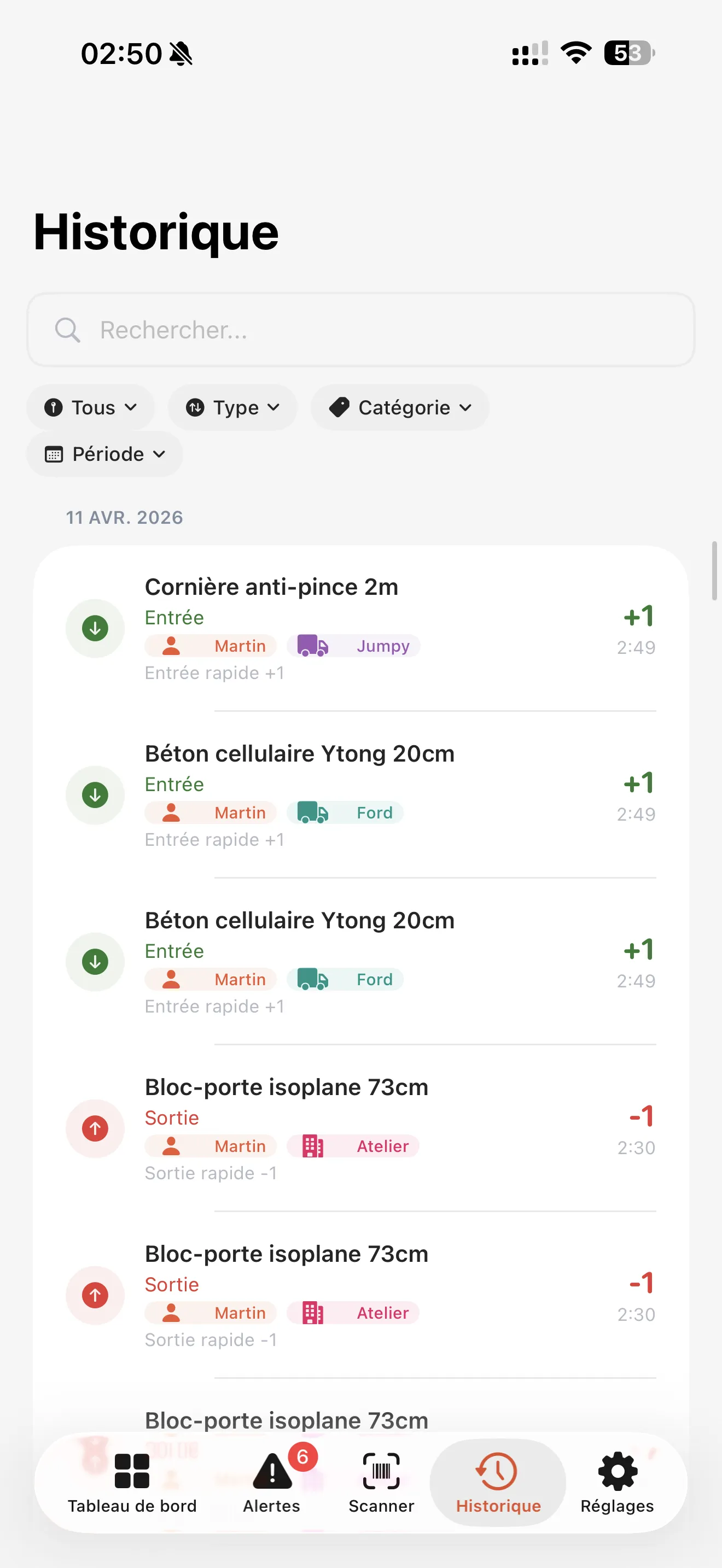
Every movement, tracked
Entries, exits, adjustments, transfers — everything is logged with the date, technician and quantity. Filter by period, movement type or category. Set the job number: every stock exit picks it up. Reports show monthly usage and stock value, as PDF or Excel. Pro · Enterprise
Full traceability: who, what, when, from where and to where.
Print your labels
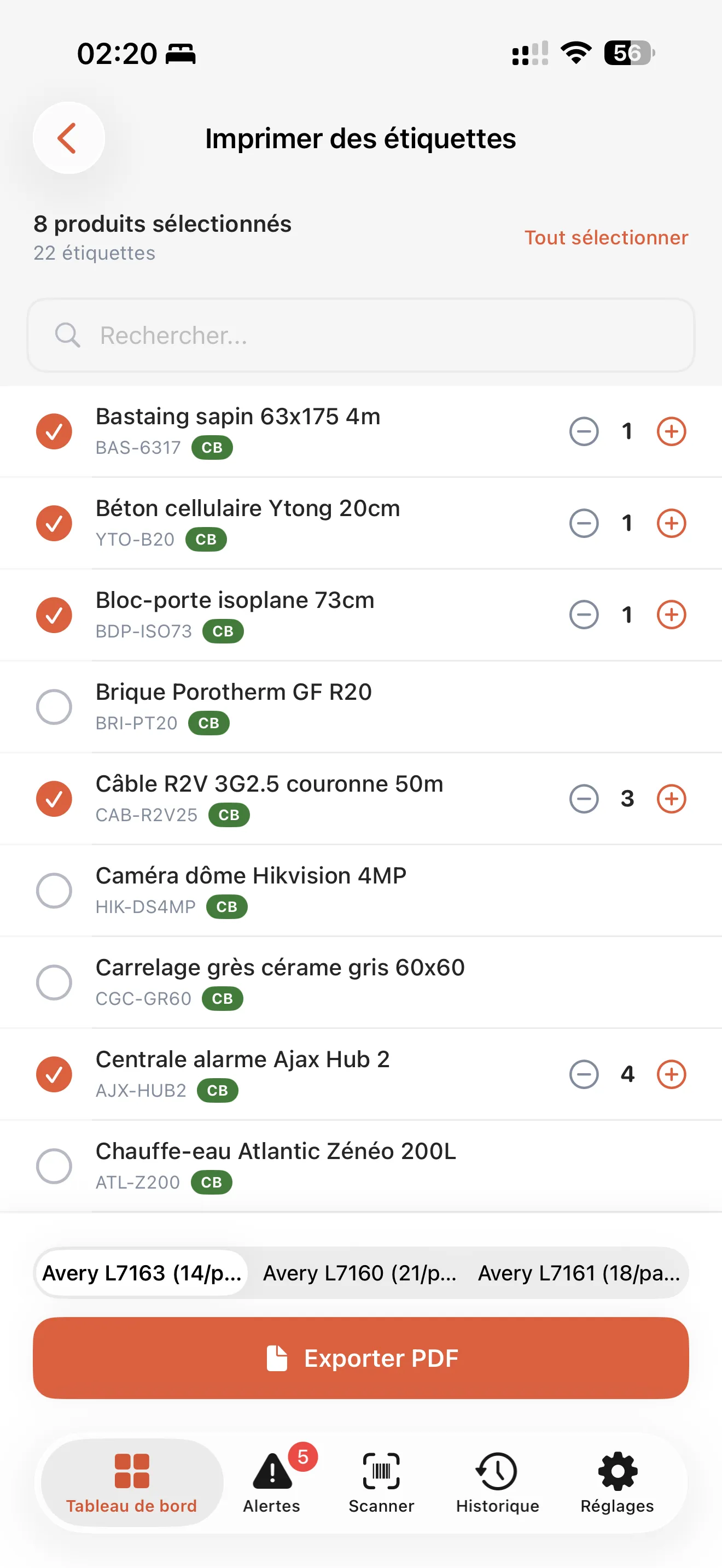
Select your products, choose the Avery format (L7163, L7160, L7161), adjust copies and export a print-ready PDF. Each label carries your company logo and colours. Keep the manufacturer's code or print a VanStock code: both are recognised by the scanner. Pro · Enterprise
All your stock, organised
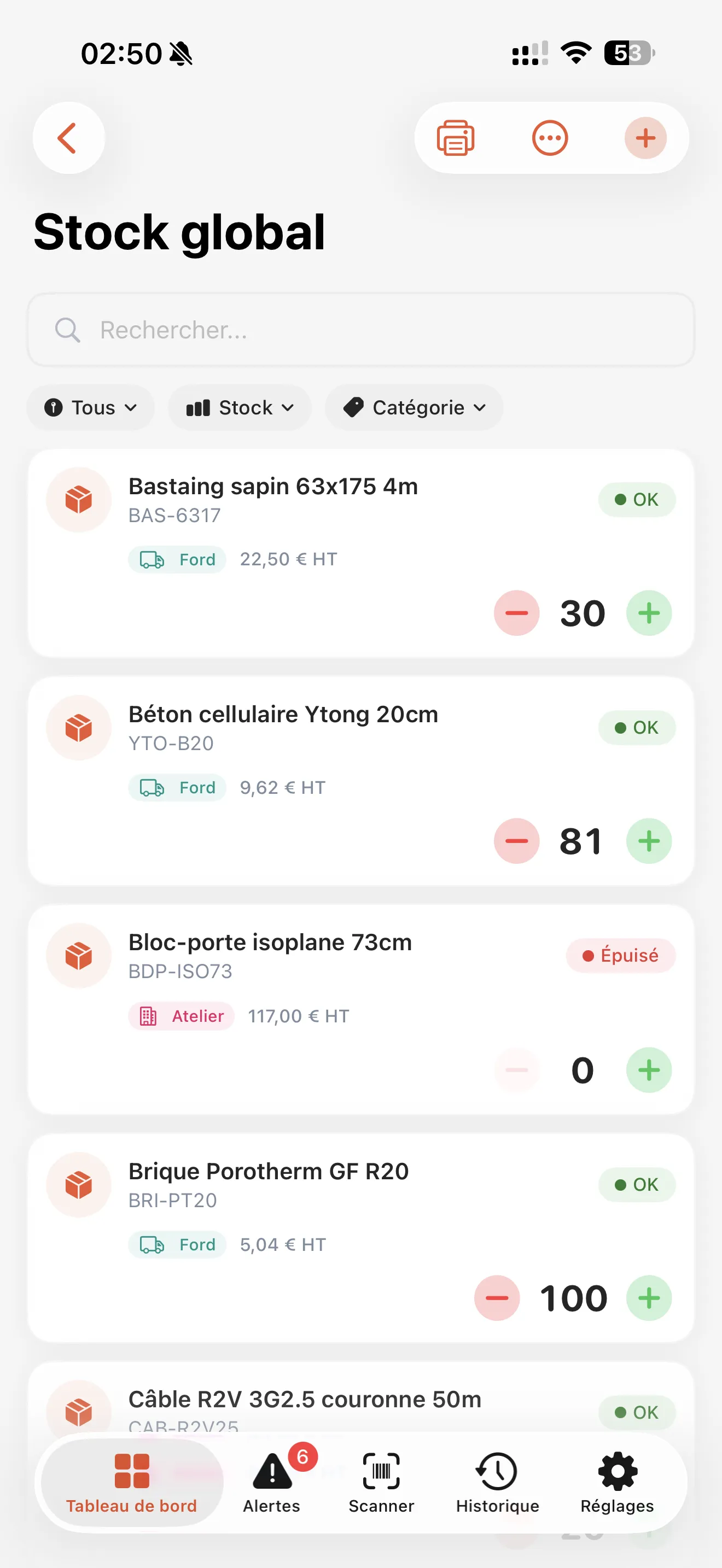
List or grid view, search by name or reference, filter by category and location. Adjust quantities with +/- without leaving the list. Each product has a full card: price, photo, alert threshold. Run a guided stocktake item by item, and search across all stock: −1/+1 and transfer right from the result.
One scan, one product
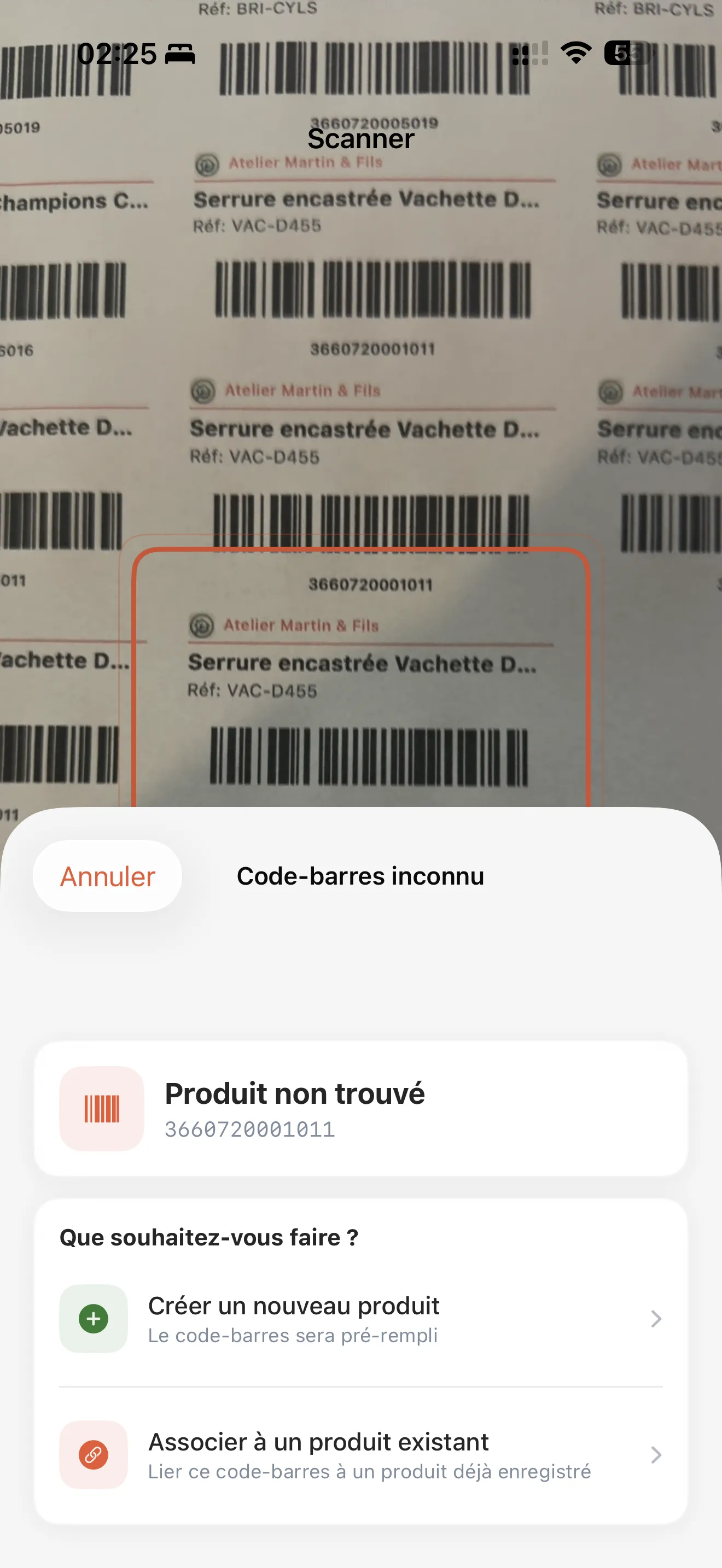
Point your camera at any barcode. The product is identified in under a second. If it doesn't exist, create it or link it to an existing product. Auto-generate internal EAN-13 codes for parts without barcodes. In batch exit or batch entry, scan several items then confirm at once. A job kit is taken out in one tap too. Pro · Enterprise
Get started in 2 minutes
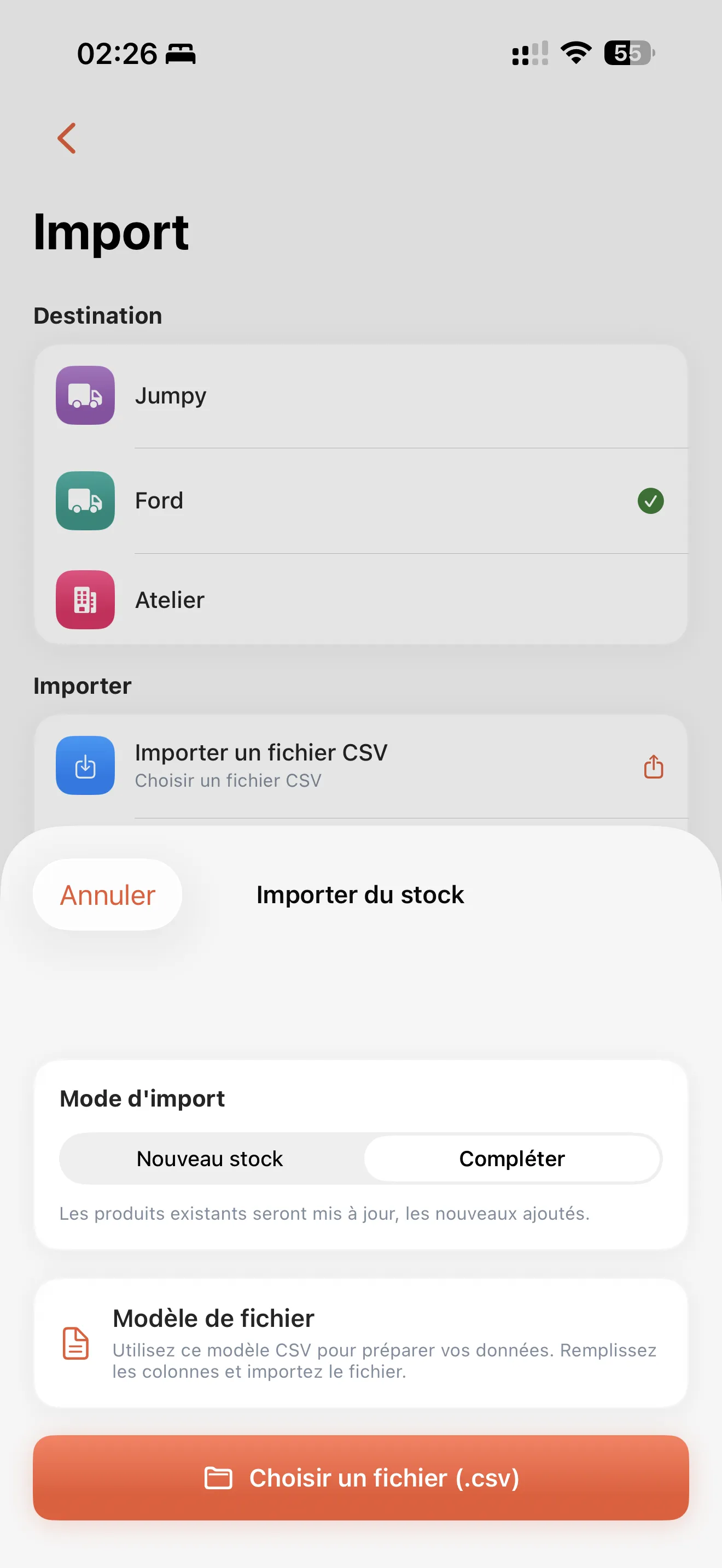
Import your existing stock from an Excel (.xlsx) or CSV file — separator auto-detected, column mapping, preview before import. Export to CSV or PDF whenever you need.
No need to re-enter everything — import and you're good to go.
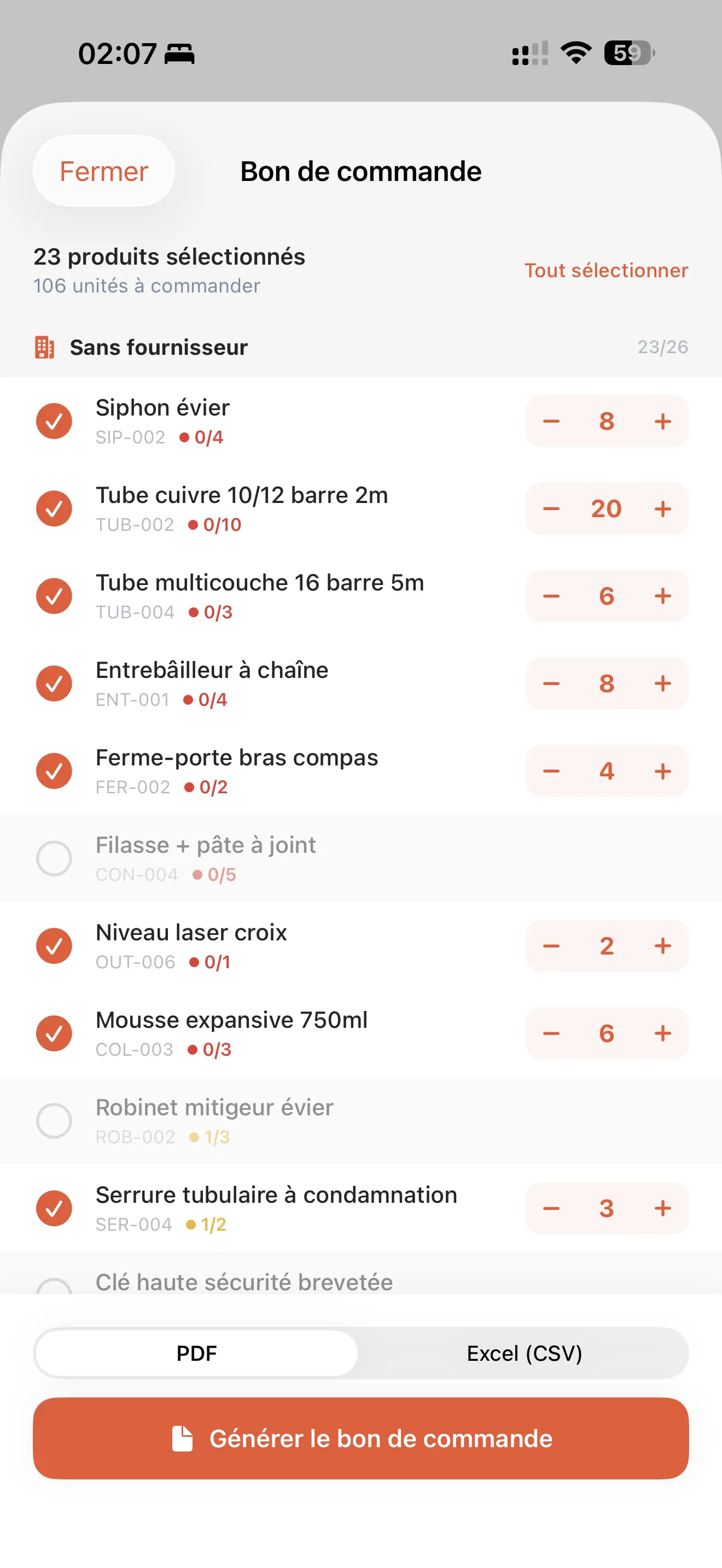
Order in one tap
Generate a smart order sheet from your out-of-stock or low-stock products. Select items, adjust quantities, and export a professional PDF with your company logo and details. The order list is sorted by supplier; on delivery, record the receipt and attach the note as a photo or PDF. Pro · Enterprise
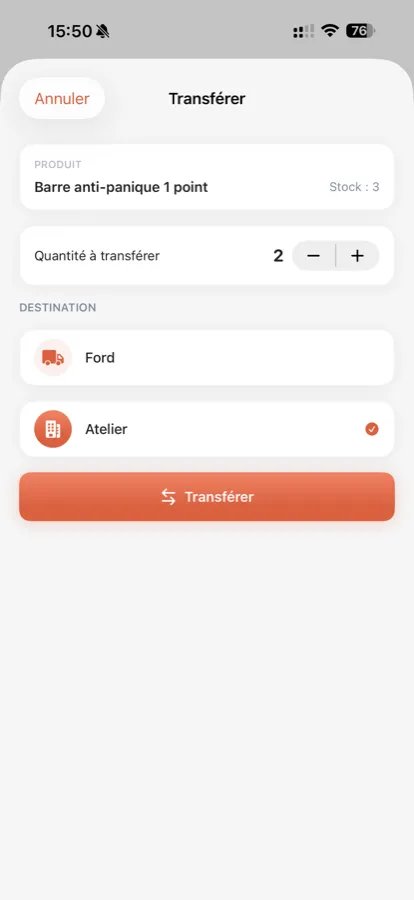
Your vehicles, your workshop
Add your vehicles and workshops, customise them with a colour and avatar. Each has its own stock, alerts and history. Transfer between them in 2 taps.
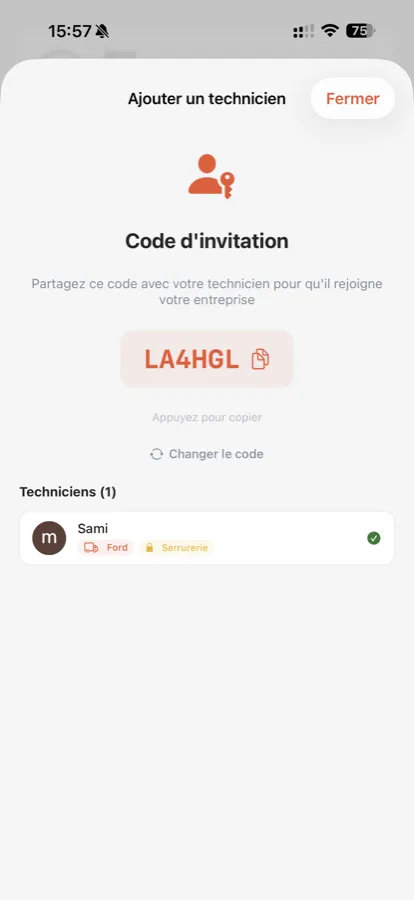
Invite in one tap
Share a 6-character code. Your technician joins the team in 30 seconds. Set their workshop permissions and assign them one or more vehicles.
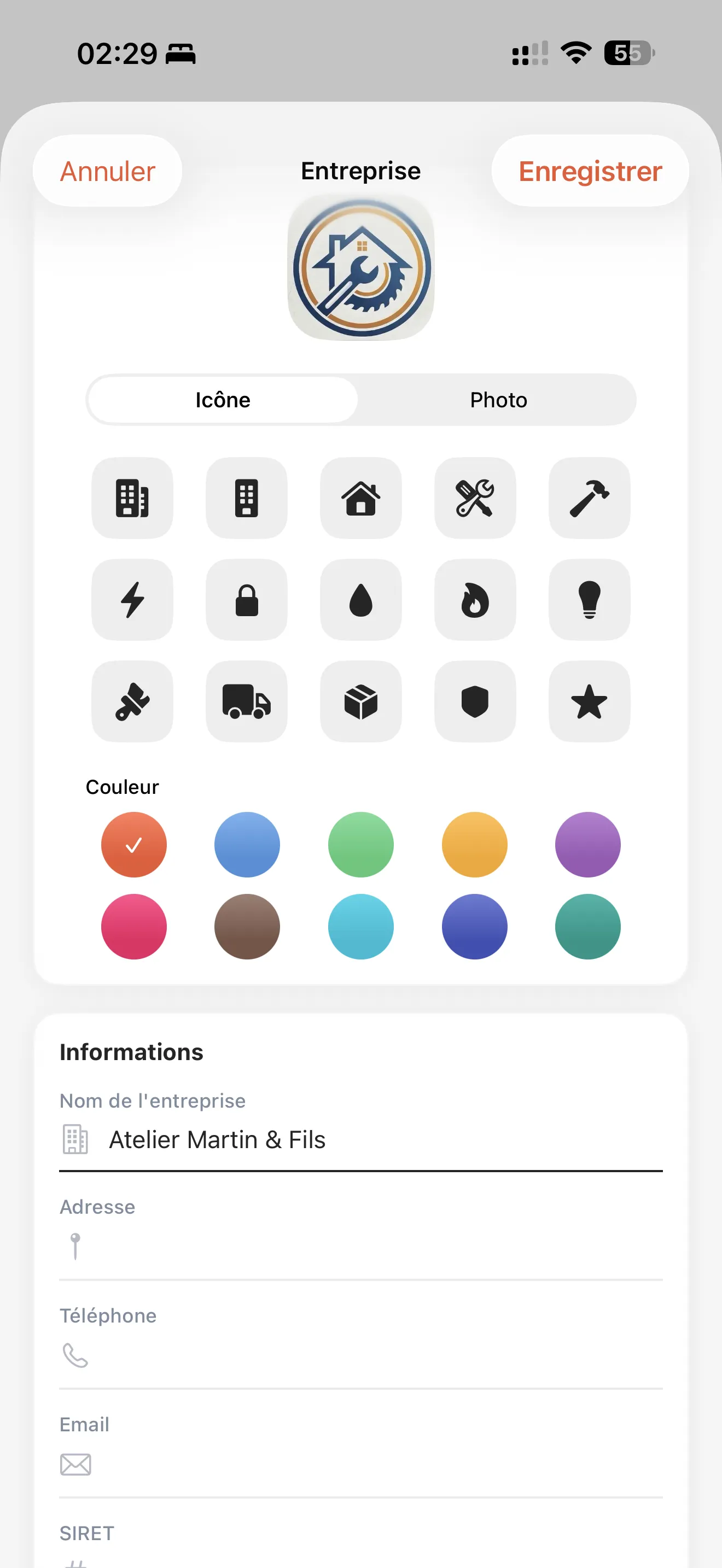
Your company, your identity
Customise your company profile with logo, address, phone, company number and website. This info appears on your labels and order sheets. Real-time cloud sync across all devices, secured with Face ID.
Smart alerts
Duplicate-free push notifications: VanStock detects when a product drops to low stock or runs out and only notifies you once. Tap the notification to go straight to the product.
Zero spam — one alert per product, per event.
Built for professionals
Numbers that speak for themselves.
Choose your plan
Simple, transparent pricing. Change or cancel anytime.
- ✓ 1 vehicle
- ✓ 30 products max
- ✓ Barcode scanner
- ✓ Low stock alerts
- ✓ Guided stocktake and delivery receipt
- ✓ Job numbers, batch exit and entry
- ✓ Excel and CSV import
- ✓ History of the last 30 days
- ✕ Job kits, reports, attached delivery notes
- ✕ Product photos
- ✕ Technician accounts
- ✕ Export (Excel, CSV, PDF)
- ✓ 7-day free trial
- ✓ 3 vehicles
- ✓ Unlimited products
- ✓ 3 technician accounts
- ✓ Product photos
- ✓ Import and export (Excel, CSV, PDF)
- ✓ Full history
- ✓ Job kits
- ✓ PDF and Excel reports
- ✓ Attached delivery notes
- ✓ Barcode scanner
- ✓ Low stock alerts
- ✓ Unlimited vehicles
- ✓ Unlimited products
- ✓ Unlimited technicians
- ✓ Product photos
- ✓ Import and export (Excel, CSV, PDF)
- ✓ Full history
- ✓ Job kits
- ✓ PDF and Excel reports
- ✓ Attached delivery notes
- ✓ Barcode scanner
- ✓ Priority support
Get started in 3 steps
Be up and running in under 5 minutes.
Create your account
Quick sign-up with your email or Apple ID.
Add your vehicles
Set up your fleet and enter your inventory product by product or by scanning.
Manage in real time
Track your stock, scan products and receive automatic alerts.
Built for tradespeople
VanStock adapts to your trade. Whatever your speciality, manage your mobile stock efficiently.
Ready to manage your stock?
Join the tradespeople who are taking control of their inventory.
Download on the App Store